SASSA Scams to Avoid: Fake SMS, WhatsApp and OTP Theft
Independent guide. Not SASSA, not a government site. We never ask for your ID number or phone number. SASSA will never ask for your OTP, your bank PIN, or a fee.
In short
A SASSA scam is a message, a call, or a person that pretends to be SASSA so it can steal your money or your details. The most common scams in 2026 are fake SMS messages about a bonus or a double payment, WhatsApp “helpers” who charge a fee to check your status or speed up your grant, and fake links that ask for your OTP or bank PIN. SASSA services are free. SASSA never asks for your OTP, your PIN, or a fee by phone, SMS, WhatsApp, or social media. If someone asks for any of those, it is a scam, no matter how official the message looks.
The one rule that catches almost every scam
SASSA does not charge for anything. Applying is free. Checking your status is free. Appealing is free. Updating your banking details is free. Replacing a card at the official point is free, as far as SASSA and Postbank state it. If anyone asks you to pay to apply, to check, to appeal, to speed up an approval, or to release a payment, that person is not from SASSA. The same rule covers your OTP and your PIN. SASSA will never ask for your one-time PIN, your bank card PIN, or your online banking password. A real SASSA message will never ask you to send those details to a person.
Scam 1: the fake bonus or double payment SMS
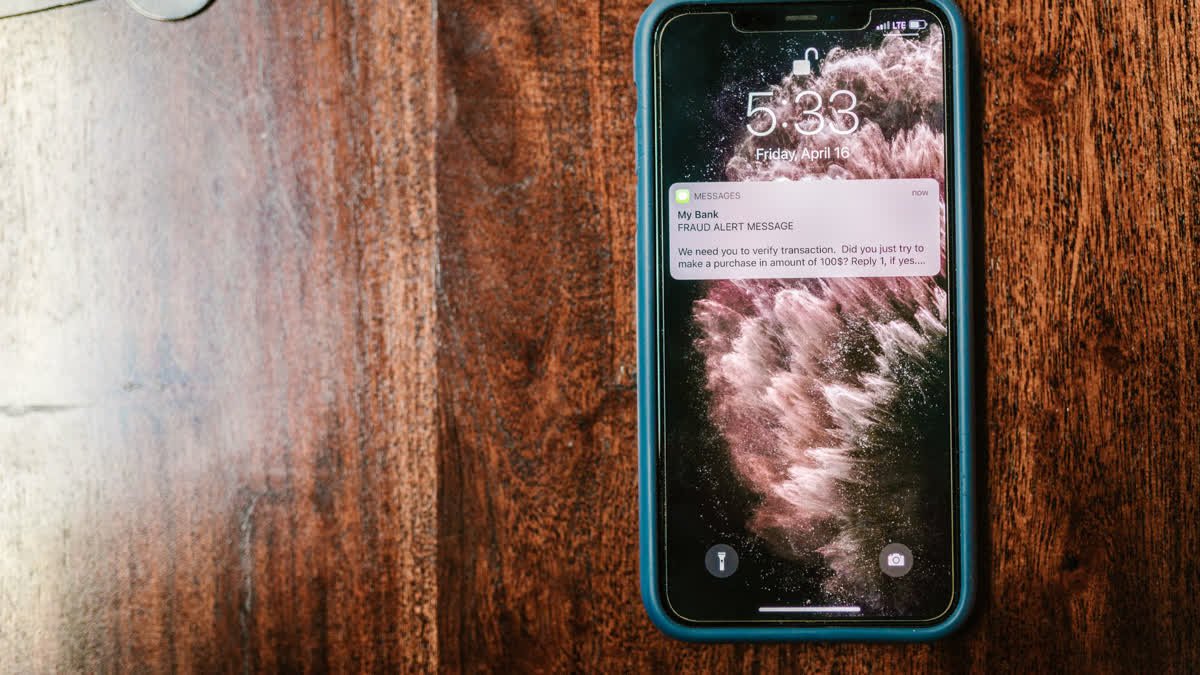
This is the scam most people see. You get an SMS that says SASSA is paying a Christmas bonus, a double payment, or a new grant, and you must click a link or send your details to claim it. There is no Christmas bonus. There is no double payment. SASSA has not announced any extra payment on top of the normal grant amounts for 2026/27, and a bonus would be announced on sassa.gov.za and by SAnews, not by a random SMS with a link.
The link in the message usually goes to a page that looks like the SASSA site. It asks for your ID number and your phone number, then for the OTP that SASSA sends you. That OTP is the key to your SRD application. Once the scammer has it, they can change your banking details to their own account. Never type your OTP into a page you reached from an SMS link. The only place to check your status is the official SRD portal at srd.sassa.gov.za/sc19/status, typed by you into your browser, and the address must end in .gov.za.
Scam 2: the WhatsApp helper who charges a fee
A person on WhatsApp or Facebook offers to check your status, fix a declined grant, or speed up your approval, for a fee of R50, R100, or more. They may use the SASSA logo as their profile picture and speak as if they work at a SASSA office. They do not work for SASSA. Nobody can speed up an approval for a fee, because approvals are decided by SASSA’s own checks against Home Affairs, SARS, UIF, and NSFAS records.
Paying the fee does not buy you anything. At best you lose the money. At worst the “helper” asks for your ID number, your phone number, and your OTP so they can “check for you”, and then changes your banking details. If your grant was declined, the fix is in the decline reason SASSA gave you, and the appeal goes to the Independent Tribunal for Social Assistance Appeals at srd.sassa.gov.za/appeals. Both are free. Read the declined guide at /sassa-status-declined-meaning/ and the appeal hub at /sassa-srd-appeal/.
Scam 3: fake status check links and OTP theft
Some scam messages do not promise money. They say there is a problem with your application, or your payment failed, and you must click a link to fix it. The link opens a page that copies the look of the SRD portal. It asks for your ID number and cellphone number, then says an OTP was sent and asks you to type it in. That page is not SASSA. SASSA never sends you a link and asks you to type your OTP into it.
The safe way to check is always the same. Open your browser yourself, type srd.sassa.gov.za, and go to the status page from there. Do not follow links from SMS, WhatsApp, or social media to reach it. The full online check guide is at /sassa-srd-status-check-online/, and the WhatsApp guide, using only the official number 082 046 8553, is at /sassa-status-check-whatsapp/.
Scam 4: the fake SASSA loan
Anything advertised as a “SASSA loan” is not from SASSA. SASSA does not lend money. It pays grants. Loans advertised with the SASSA name come from credit providers, and some of them are scams that ask for an upfront fee before they “release” the loan. A real lender never asks you to pay a fee before you get the money. If a lender asks for an upfront payment, walk away.
Borrowing against a grant is also risky in a way that has nothing to do with scams. Grant money is meant to cover food and basics for the month, and a loan with high interest can leave you short the next month. If you do borrow, check that the lender is registered with the National Credit Regulator, read the full cost of the loan, and never pay a fee to apply. The full loans guide is at /sassa-loan/.
Scam 5: fake SASSA pages, fake jobs, and fake forms
Scammers also run Facebook pages and WhatsApp groups that copy the SASSA name and logo. They post about new grants, jobs at SASSA, or forms you must fill in to keep your grant. SASSA does not take grant applications through Facebook or WhatsApp groups, and it does not ask you to fill in a form on a stranger’s page to keep a grant you already get.
How to check if a message is real
Use this short list before you act on any SASSA message.
- Does it ask for money, an OTP, or a PIN? If yes, it is fake. SASSA never asks for those.
- Does it promise a bonus, a double payment, or a new grant you have never heard of? If yes, it is fake. Check sassa.gov.za or SAnews for the announcement. If it is not there, it does not exist.
- Does the link end in .gov.za? If it ends in anything else, do not click it. Type the official address yourself instead.
- Did it come from the official WhatsApp number, 082 046 8553, or the toll-free helpline, 0800 60 10 11? If it came from a personal number, treat it as fake.
- Does it rush you, saying you must act now or lose your grant? Scammers use urgency so you do not stop and think. SASSA does not cancel a grant because you did not click a link in one day.
If a message fails even one of these checks, delete it and do nothing else. If you are unsure, call the SASSA helpline free on 0800 60 10 11 and ask. That call costs you nothing and settles the question.
What to do if you already shared your details
Act fast, and do not feel ashamed. These scams are built by professionals and they catch careful people too.
First, if you shared your OTP, your PIN, or your bank details, call your bank at once and ask them to block the card and watch the account. Then go to a bank branch with your ID and change your PIN. If money has already left your account, ask the bank about a dispute and keep the reference number they give you.
Second, check your SRD status on the official portal at srd.sassa.gov.za/sc19/status and check that your banking details are still yours. If they were changed, follow the banking details guide at /change-sassa-banking-details/ and tell SASSA on the helpline, 0800 60 10 11.
Third, report the message. Report the number to your network provider, report the page to Facebook or WhatsApp if it came from there, and tell SASSA on the helpline so they can warn other people. Keep a screenshot of the message if you can, but never forward it to other people as a warning with the link still live, because someone else may click it.
Sources
- Official SRD portal, srd.sassa.gov.za, including the status check page at srd.sassa.gov.za/sc19/status and the appeals page at srd.sassa.gov.za/appeals
- Official SASSA site, sassa.gov.za
- Official SASSA WhatsApp number 082 046 8553 and toll-free helpline 0800 60 10 11
Frequently asked questions
Does SASSA pay a Christmas bonus?
No. There is no Christmas bonus and no double payment. Any SMS or WhatsApp message that says you must claim a bonus by clicking a link is fake. SASSA announces any real change to grants on sassa.gov.za.
Will SASSA ever ask for my OTP?
No. SASSA will never ask for your OTP, your bank PIN, or your online banking password by phone, SMS, WhatsApp, or social media. Anyone who asks for those is running a scam.
Is it safe to check my status on WhatsApp?
Yes, but only on the official SASSA WhatsApp number, 082 046 8553. Do not use a number from a message or a Facebook post. If in doubt, use the official site at srd.sassa.gov.za/sc19/status instead.
Someone charged me a fee to fix my grant. What should I do?
Do not pay more. The fee was a scam, because all SASSA services are free. If you shared your OTP or bank details, call your bank at once, then call SASSA free on 0800 60 10 11 and report what happened.
How do I report a SASSA scam?
Call the SASSA helpline free on 0800 60 10 11 and tell them the number and the message. Report the number to your network provider too, and report the page or account to Facebook or WhatsApp if that is where it came from.
Last updated 23 November 2026. Checked monthly. Report errors on the Contact page.
